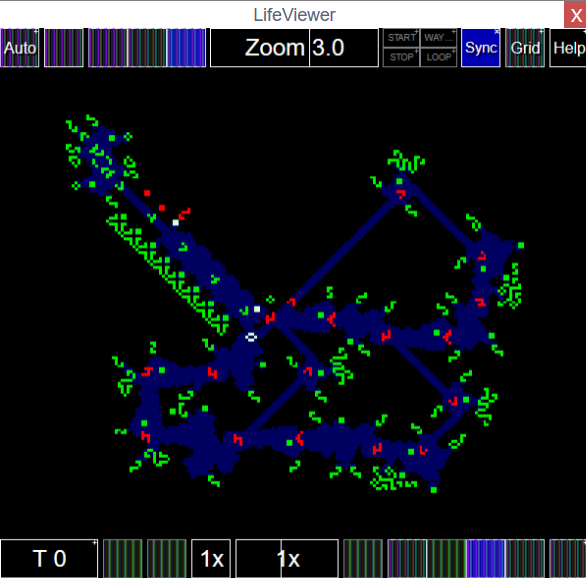
lifeviewer bug

Has something gone haywire? Let us know about it!
User avatar
rowett
Moderator
Posts: 4592
Joined: January 31st, 2013, 2:34 am
Location: UK
Contact:

Re: lifeviewer bug

Post by rowett »

wirehead wrote: December 29th, 2022, 10:22 am On large p2 patterns (like, say, unsynthesizable oscillator 1) and speed slider set to 1x, frames are randomly dropped and the pattern appears to oscillate erratically. Are you using setTimeout for the drawing loop? Maybe requestAnimationFrame would work better.
LifeViewer uses requestAnimationFrame.

I don't see a frame drop on my machine. Switch on Settings->Advanced->Frame Times when viewing the pattern at speed 1x and see if it's a CPU issue.
User avatar
wirehead
Posts: 304
Joined: June 18th, 2022, 2:37 pm
Location: /dev/full
Contact:

Re: lifeviewer bug

Post by wirehead »

rowett wrote: December 29th, 2022, 1:02 pm I don't see a frame drop on my machine. Switch on Settings->Advanced->Frame Times when viewing the pattern at speed 1x and see if it's a CPU issue.
For the unsynthesizable oscillator the frame times bar is hovering around 40fps and bouncing up and down quite erratically. When I dragged the angle slider to 20 degrees, the frame times bar jumped up to 100%, 30fps, and stayed there, and the frame drop problem stopped. Super weird!
Langton's ant: Can't play the drums, can be taught.
User avatar
rowett
Moderator
Posts: 4592
Joined: January 31st, 2013, 2:34 am
Location: UK
Contact:

Re: lifeviewer bug

Post by rowett »

wirehead wrote: December 29th, 2022, 1:26 pm
rowett wrote: December 29th, 2022, 1:02 pm I don't see a frame drop on my machine. Switch on Settings->Advanced->Frame Times when viewing the pattern at speed 1x and see if it's a CPU issue.
For the unsynthesizable oscillator the frame times bar is hovering around 40fps and bouncing up and down quite erratically. When I dragged the angle slider to 20 degrees, the frame times bar jumped up to 100%, 30fps, and stayed there, and the frame drop problem stopped. Super weird!
What device are you using?
User avatar
wirehead
Posts: 304
Joined: June 18th, 2022, 2:37 pm
Location: /dev/full
Contact:

Re: lifeviewer bug

Post by wirehead »

rowett wrote: December 29th, 2022, 1:56 pm What device are you using?
here's chrome://version:

Chromium 104.0.5112.105 (Official Build) Built on Raspbian , running on Raspbian 11 (32-bit)

also tested it in Firefox 102.6.0esr (32-bit) also on Raspberry Pi, and frame times bar shows 100%, 3fps. yikes

it may be a chrome://flags issue, I have several turned on, let me know if there are any flags you know of that would interfere with LifeViewer.
Langton's ant: Can't play the drums, can be taught.
User avatar
wirehead
Posts: 304
Joined: June 18th, 2022, 2:37 pm
Location: /dev/full
Contact:

Re: lifeviewer bug

Post by wirehead »

Sorry for the double post, but build 813 still has the frame drop bug on my machine.

Code: Select all

x = 48, y = 48, rule = B3/S23
21b2o15b2o$22bo15bo$14b2obo3bo5b2obo8bo$14bob2o3b2o4bob2o7b2o2$6bo3b2o
3b3o3b4o3b5o3b6o$5bobobo2bobo3bobo4bobo5bobo6bo$6bo3b2o3b3o3b4o3b5o3b
6o2$6bo3b2o3b3o3b4o3b5o3b6o$5bobobo2bobo3bobo4bobo5bobobo4bo$5bobobo2b
obobobobobo2bobo2bo2bobo4bobo$6bo3b2o3b3o3b4o3b5o3b6o2$2b2o2bo3b2o3b3o
3b4o3b5o3b6o2b2o$2bo2bobobo2bobo3bobo2bobobo2bo2bobo2bo3bo2bo$3bobobob
o2bobo3bobo3b2ob2o4bob2o4b2obo$2b2obobobo2bobo3bobo4bobo3bobobo3bo2bob
2o$6bo3b2o3b3o3b4o3b5o3b6o2$6bo3b2o3b3o3b4o3b5o3b6o$ob2obobobo2bobobob
obobo2bobo2bo2bobo2bo3bob2obo$2obobobobob2obo3bobo2bobob2o4bobo5b2obob
2o$5bobobo2bobo3bobo2bobobo4b2ob2o5bo$5bobobo2bobo3bobo4bobo2bo2bobo3b
o2bo$6bo3b2o3b3o3b4o3b5o3b6o2$2b2o2bo3b2o3b3o3b4o3b5o3b6o2b2o$2bo2bobo
bo2bobobobobobo2bobo3bobobo2bo3bo2bo$3bobobob4obo3bobo4bobo4b2obo5b2ob
o$2b2obobobo2bob2o2bob2o2b2obo5bob2o5bob2o$5bobobo2bobo2b2obo4bob2o4bo
bo6bo$5bobobo2bobo3bobo2bobobobo3bobobo2bobo$6bo3b2o3b3o3b4o3b5o3b6o2$
6bo3b2o3b3o3b4o3b5o3b6o$5bobobo2bobobobobo2bobobo2bo2bobo6bo$5bobob2ob
obo3bobo4bobo4b2obob4obo$2obobobobo2bob2o2bob2o3bob2o4bobobo2bobobob2o
$ob2obobobo2bobo2b2obo3b2obo5bobobo2bobob2obo$5bobobob2obo3bobo4bobo4b
2obob4obo$5bobobo2bobobobobobo2bobobo3bobo6bo$6bo3b2o3b3o3b4o3b5o3b6o
2$14bob2o3b2o4bob2o7b2o$14b2obo3bo5b2obo8bo$22bo15bo$21b2o15b2o![[ AUTOSTART GPS 60 STEP 1 ]]
The p4 and p8 parts appear to run continuously, but the p2 parts are erratic.
Langton's ant: Can't play the drums, can be taught.
User avatar
rowett
Moderator
Posts: 4592
Joined: January 31st, 2013, 2:34 am
Location: UK
Contact:

Re: lifeviewer bug

Post by rowett »

wirehead wrote: January 2nd, 2023, 1:18 pm Sorry for the double post, but build 813 still has the frame drop bug on my machine.
From the timing data you sent it's not a bug. Your device is just not fast enough to run that pattern at 60fps.
User avatar
squareroot12621
Posts: 710
Joined: March 23rd, 2022, 4:53 pm

Re: lifeviewer bug

Post by squareroot12621 »

rattlesnake wrote: November 29th, 2022, 7:54 pm

Code: Select all

x = 2, y = 2, rule  B3/S23
2o$2o!
#C [[ SHADER Rainbow ]]
Play, Alt-W, reset.
The bug is appearing again.
User avatar
rowett
Moderator
Posts: 4592
Joined: January 31st, 2013, 2:34 am
Location: UK
Contact:

Re: lifeviewer bug

Post by rowett »

squareroot12621 wrote: January 11th, 2023, 2:03 pm
rattlesnake wrote: November 29th, 2022, 7:54 pm

Code: Select all

x = 2, y = 2, rule  B3/S23
2o$2o!
#C [[ SHADER Rainbow ]]
Play, Alt-W, reset.
The bug is appearing again.
It's a different issue. Rainbow mode was not being restored on hard reset (reset at T=0) if specified in script commands. This is now fixed.
User avatar
rowett
Moderator
Posts: 4592
Joined: January 31st, 2013, 2:34 am
Location: UK
Contact:

Re: lifeviewer bug

Post by rowett »

Sokwe wrote: December 13th, 2022, 3:44 am At generations that are a multiple of 64 all alive cells are white when I expect some to be cyan:

Code: Select all

#C [[ AGESTATES 1 ]]
x = 49, y = 42, rule = B3/S23
17b2o$18bo$17bo$17b4o$20bo$15b3o$4b2o8bo2bo$4bobo2b2o3b2o$bo4bo3bo$b5o
b3o$5bobo$b3obobo$o2bob2o$2o2$19b2o$4b2o12bobo22bo$4b2o11b2o22b3o$18bo
bo19bo$19b2o19b2o3$7b2o19b2o$8bo19bobo$5b3o22b2o11b2o$5bo22bobo12b2o$
28b2o2$47b2o$42b2obo2bo$41bobob3o$41bobo$39b3ob5o$38bo3bo4bo$33b2o3b2o
2bobo$31bo2bo8b2o$31b3o$28bo$28b4o$31bo$30bo$30b2o!
Also, pressing reset makes all alive cells white rather than their original cyan. Pressing reset followed by step forward followed by step backward makes all alive cells cyan.
These issues should be fixed now. Thanks for reporting!
User avatar
confocaloid
Posts: 6697
Joined: February 8th, 2022, 3:15 pm
Location: learn to protect yourself against stray gliders and sparks and self-destruct mechanisms

Re: lifeviewer bug

Post by confocaloid »

When I open the first viewer below, there are no timing details displayed (as expected):

Code: Select all

x = 20, y = 20, rule = B3/S234c
9bo$8b3o$7bo$6b2o2bobo$5b3o2bob2o$6bo3bob2obo$4b13o$3b6o3b2ob3o$6bo5b
2o4bo$bob4o6bo4b2o$2o4bo6b4obo$bo4b2o5bo$2b3ob2o3b6o$3b13o$4bob2obo3bo
$6b2obo2b3o$7bobo2b2o$12bo$9b3o$10bo!
When I open second viewer, there are timing details displayed (as expected):

Code: Select all

x = 20, y = 20, rule = B3/S234c
9bo$8b3o$7bo$6b2o2bobo$5b3o2bob2o$6bo3bob2obo$4b13o$3b6o3b2ob3o$6bo5b
2o4bo$bob4o6bo4b2o$2o4bo6b4obo$bo4b2o5bo$2b3ob2o3b6o$3b13o$4bob2obo3bo
$6b2obo2b3o$7bobo2b2o$12bo$9b3o$10bo!
#C [[ SHOWTIMING EXTENDEDTIMING ]]
When I open the first viewer again (after opening second one), there are timing details displayed (this is unexpected). I have to go to settings and disable them (Advanced/Timing Details, Advanced/Frame Times), otherwise they seem to appear in all viewers on the page, even those without script commands.
127:1 B3/S234c User:Confocal/R (isotropic CA, incomplete)
Unlikely events happen.
My silence does not imply agreement, nor indifference. If I disagreed with something in the past, then please do not construe my silence as something that could change that.
User avatar
rowett
Moderator
Posts: 4592
Joined: January 31st, 2013, 2:34 am
Location: UK
Contact:

Re: lifeviewer bug

Post by rowett »

confocaloid wrote: January 23rd, 2023, 2:12 am When I open the first viewer again (after opening second one), there are timing details displayed (this is unexpected). I have to go to settings and disable them (Advanced/Timing Details, Advanced/Frame Times), otherwise they seem to appear in all viewers on the page, even those without script commands.
Yes this is by design. If people would prefer it not to persist across Viewers on the page I can change it. What is the consensus?
User avatar
wirehead
Posts: 304
Joined: June 18th, 2022, 2:37 pm
Location: /dev/full
Contact:

Re: lifeviewer bug

Post by wirehead »

rowett wrote: January 23rd, 2023, 5:19 am
confocaloid wrote: January 23rd, 2023, 2:12 am When I open the first viewer again (after opening second one), there are timing details displayed (this is unexpected). I have to go to settings and disable them (Advanced/Timing Details, Advanced/Frame Times), otherwise they seem to appear in all viewers on the page, even those without script commands.
Yes this is by design. If people would prefer it not to persist across Viewers on the page I can change it. What is the consensus?
My two cents on this is that there could be a setting for "default for this browser" (saved using localStorage or a cookie or such) and SHOWTIMING/HIDETIMING commands override it.
Langton's ant: Can't play the drums, can be taught.
User avatar
Anivec
Posts: 2005
Joined: January 28th, 2022, 7:18 pm
Location: In 4.3 miles, take a right onto Exit 54

Re: lifeviewer bug

Post by Anivec »

Run this example pattern for some time, then start pressing "step back". Whatever your running will try to clean up it's trail by moving every 2 steps

Code: Select all

x = 3, y = 3, rule = B3/S23
obo$b2o$bo!
User avatar
get_Snacked
Posts: 542
Joined: August 20th, 2022, 10:51 pm

Re: lifeviewer bug

Post by get_Snacked »

AlbertArmStain wrote: January 28th, 2023, 6:32 pm Run this example pattern for some time, then start pressing "step back". Whatever your running will try to clean up it's trail by moving every 2 steps

Code: Select all

x = 3, y = 3, rule = B3/S23
obo$b2o$bo!
yeah. i've been having the same happen to me for a while now, and it's really annoying. (no offense.)
User avatar
rowett
Moderator
Posts: 4592
Joined: January 31st, 2013, 2:34 am
Location: UK
Contact:

Re: lifeviewer bug

Post by rowett »

AlbertArmStain wrote: January 28th, 2023, 6:32 pm Run this example pattern for some time, then start pressing "step back". Whatever your running will try to clean up it's trail by moving every 2 steps

Code: Select all

x = 3, y = 3, rule = B3/S23
obo$b2o$bo!
Fixed. Thanks for reporting!
NooneAtAll3
Posts: 65
Joined: January 29th, 2023, 3:38 am

Re: lifeviewer bug

Post by NooneAtAll3 »

Freshly downloaded portable librewolf shows vertical stripes on buttons.
Image

Windows 10
Works fine in Chrome.
Haven't checked drivers or anything yet, but maybe someone can quickly confirm on his machine.
User avatar
rowett
Moderator
Posts: 4592
Joined: January 31st, 2013, 2:34 am
Location: UK
Contact:

Re: lifeviewer bug

Post by rowett »

NooneAtAll3 wrote: January 29th, 2023, 3:47 am Freshly downloaded portable librewolf shows vertical stripes on buttons.

Works fine in Chrome.
Haven't checked drivers or anything yet, but maybe someone can quickly confirm on his machine.
Librewolf is attempting to block fingerprinting by disabling access to image data. This is screwing up the icons.

See this article for details and for how to disable the feature.
User avatar
Anivec
Posts: 2005
Joined: January 28th, 2022, 7:18 pm
Location: In 4.3 miles, take a right onto Exit 54

Re: lifeviewer bug

Post by Anivec »

AlbertArmStain wrote: January 28th, 2023, 6:32 pm Run this example pattern for some time, then start pressing "step back". Whatever your running will try to clean up it's trail by moving every 2 steps

Code: Select all

x = 3, y = 3, rule = B3/S23
obo$b2o$bo!
Now try running it a max steps
User avatar
muzik
Posts: 6605
Joined: January 28th, 2016, 2:47 pm
Location: Scotland

Re: lifeviewer bug

Post by muzik »

AlbertArmStain wrote: January 30th, 2023, 8:52 am
AlbertArmStain wrote: January 28th, 2023, 6:32 pm Run this example pattern for some time, then start pressing "step back". Whatever your running will try to clean up it's trail by moving every 2 steps

Code: Select all

x = 3, y = 3, rule = B3/S23
obo$b2o$bo!
Now try running it a max steps
It appears that LifeViewer is now processing historical states at a rate of 64x, but not the pattern's actual evolution.
Parity Replicator Collection v1.6 is now live - please send all relevant discoveries here.
User avatar
rowett
Moderator
Posts: 4592
Joined: January 31st, 2013, 2:34 am
Location: UK
Contact:

Re: lifeviewer bug

Post by rowett »

muzik wrote: January 30th, 2023, 8:55 am
AlbertArmStain wrote: January 30th, 2023, 8:52 am
AlbertArmStain wrote: January 28th, 2023, 6:32 pm Run this example pattern for some time, then start pressing "step back". Whatever your running will try to clean up it's trail by moving every 2 steps

Code: Select all

x = 3, y = 3, rule = B3/S23
obo$b2o$bo!
Now try running it a max steps
It appears that LifeViewer is now processing historical states at a rate of 64x, but not the pattern's actual evolution.
I can't reproduce this. Perhaps it was fixed in a recent build.
User avatar
muzik
Posts: 6605
Joined: January 28th, 2016, 2:47 pm
Location: Scotland

Re: lifeviewer bug

Post by muzik »

Looks like it was fixed in a silent reupload of build 859, since the bug happened ten minutes ago.
Parity Replicator Collection v1.6 is now live - please send all relevant discoveries here.
User avatar
rowett
Moderator
Posts: 4592
Joined: January 31st, 2013, 2:34 am
Location: UK
Contact:

Re: lifeviewer bug

Post by rowett »

muzik wrote: January 30th, 2023, 10:03 am Looks like it was fixed in a silent reupload of build 859, since the bug happened ten minutes ago.
Great that we are rating uploads on volume now... :D
User avatar
get_Snacked
Posts: 542
Joined: August 20th, 2022, 10:51 pm

Re: lifeviewer bug

Post by get_Snacked »

i think there's some confusion with the original Blues theme that applies when no theme is applied: in the conwaylife.com home page, apparently there's an alive ramp of white color? here's an example of a honey farm turning white: Image
User avatar
rowett
Moderator
Posts: 4592
Joined: January 31st, 2013, 2:34 am
Location: UK
Contact:

Re: lifeviewer bug

Post by rowett »

get_Snacked wrote: February 10th, 2023, 11:18 pm i think there's some confusion with the original Blues theme that applies when no theme is applied: in the conwaylife.com home page, apparently there's an alive ramp of white color?
Thanks for reporting! I've reported it to the owner of the home page for a fix.
User avatar
rattlesnake
Posts: 167
Joined: May 28th, 2022, 10:10 pm
Location: Following a 37P4H1V0

Re: lifeviewer bug

Post by rattlesnake »

Code: Select all

x = 13, y = 13, rule = B2ci3aery4eqr5aeiq6acn78/S01c2ei3-i4ijrtz5ainry7c8
6bo$6b2o$6bo5bo$2bo3$9b3o$bo8bo$3o$8bo$7b2o$3bo4bo$11bo!
has mod 16 but reflect it along the horizontal line, the mod is 32.
I have discovered SKOP for 105, 115, 188, 476, 492 and gun_ and guntrue_ for 226, 339, 752.
Post Reply