RuleEngineers Alpha 0.2.0

For scripts to aid with computation or simulation in cellular automata.
Post Reply
User avatar
R2INT
Posts: 811
Joined: July 2nd, 2024, 7:42 pm

RuleEngineers Alpha 0.2.0

Post by R2INT »

I’ve been working on a tool for multistate rulegolfing. The alpha download is available at:
https://r2intca.com
The current version is alpha v0.2.0.

This program is designed to accelerate rulegolfing using specialized techniques to reduce the effort of rule modification and error rate.
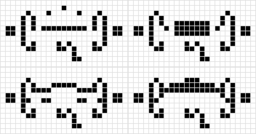
As an example, here is a 5-state INT rule I completed using RuleEngineers, where 2 cells evolve into a 51x11 still life that resembles "R2INT" and 1 cell evolves into 8 copies of the R2INT:

Code: Select all

x = 77, y = 50, rule = R2INT
26.2D7.2B$26.2A6.D2.D$34.B2.B16$76.C29$A2$.B!
@RULE R2INT
Ruletable automatically generated using RuleEngineers.  There are 630 lines in this ruletable.
@COLORS
0 0,0,0
1 255,255,255
2 128,192,192
3 0,255,128
4 0,128,96
@TABLE
n_states:5
neighborhood:Moore
symmetries:rotate4reflect
0 0,0,0,0,0,0,0,0 0
0 0,0,0,1,0,0,0,0 2
0 0,0,0,3,0,0,0,0 4
0 0,0,0,0,1,0,0,0 2
0 0,0,0,1,1,0,0,0 1
0 0,0,0,3,2,0,0,0 2
0 0,0,0,0,3,0,0,0 4
0 0,0,0,1,3,0,0,0 3
0 0,0,0,2,4,0,0,0 4
0 0,0,0,1,0,1,0,0 2
0 0,0,0,4,0,1,0,0 2
0 0,0,0,2,1,1,0,0 4
0 0,0,0,4,1,1,0,0 2
0 0,0,0,1,2,1,0,0 1
0 0,0,0,4,3,1,0,0 1
0 0,0,0,2,4,1,0,0 2
0 0,0,0,3,1,2,0,0 1
0 0,0,0,4,1,2,0,0 4
0 0,0,0,3,2,2,0,0 3
0 0,0,0,2,3,2,0,0 2
0 0,0,0,3,3,2,0,0 1
0 0,0,0,4,3,2,0,0 1
0 0,0,0,2,4,2,0,0 4
0 0,0,0,3,0,3,0,0 4
0 0,0,0,3,2,3,0,0 2
0 0,0,1,1,1,0,0,0 3
0 0,0,1,4,1,0,0,0 2
0 0,0,1,0,3,0,0,0 4
0 0,0,1,2,3,0,0,0 1
0 0,0,1,3,3,0,0,0 4
0 0,0,1,4,4,0,0,0 1
0 0,0,1,0,0,1,0,0 1
0 0,0,1,1,0,1,0,0 3
0 0,0,1,0,2,1,0,0 1
0 0,0,1,4,0,2,0,0 1
0 0,0,1,0,1,2,0,0 1
0 0,0,1,0,0,3,0,0 1
0 0,0,1,2,0,3,0,0 3
0 0,0,1,4,0,3,0,0 1
0 0,0,1,0,0,4,0,0 3
0 0,0,1,2,1,4,0,0 2
0 0,0,1,2,3,4,0,0 3
0 0,0,1,4,3,4,0,0 1
0 0,0,2,0,2,0,0,0 1
0 0,0,2,1,2,0,0,0 3
0 0,0,2,2,2,0,0,0 2
0 0,0,2,4,2,0,0,0 3
0 0,0,2,1,3,0,0,0 2
0 0,0,2,3,3,0,0,0 2
0 0,0,2,0,4,0,0,0 4
0 0,0,2,1,4,0,0,0 2
0 0,0,2,2,4,0,0,0 4
0 0,0,2,3,4,0,0,0 2
0 0,0,2,0,0,1,0,0 4
0 0,0,2,4,1,1,0,0 3
0 0,0,2,2,2,2,0,0 4
0 0,0,2,1,4,2,0,0 1
0 0,0,2,2,4,2,0,0 4
0 0,0,2,0,0,3,0,0 1
0 0,0,2,3,3,3,0,0 1
0 0,0,2,0,0,4,0,0 1
0 0,0,2,1,0,4,0,0 4
0 0,0,2,0,4,4,0,0 2
0 0,0,2,1,4,4,0,0 1
0 0,0,2,3,4,4,0,0 3
0 0,0,3,0,3,0,0,0 3
0 0,0,3,1,3,0,0,0 1
0 0,0,3,3,3,0,0,0 1
0 0,0,3,0,4,0,0,0 3
0 0,0,3,1,4,0,0,0 1
0 0,0,3,0,0,1,0,0 3
0 0,0,3,0,0,3,0,0 4
0 0,0,3,0,1,4,0,0 1
0 0,0,3,0,2,4,0,0 4
0 0,0,3,1,2,4,0,0 1
0 0,0,4,0,4,0,0,0 3
0 0,0,4,3,4,0,0,0 4
0 0,0,4,4,4,0,0,0 4
0 0,0,4,2,0,1,0,0 3
0 0,0,4,0,1,1,0,0 1
0 0,0,4,2,1,1,0,0 3
0 0,0,4,0,2,1,0,0 1
0 0,0,4,0,3,1,0,0 4
0 0,0,4,0,0,2,0,0 4
0 0,0,4,2,3,2,0,0 2
0 0,0,4,0,0,3,0,0 1
0 0,0,4,0,1,3,0,0 3
0 0,0,4,1,2,3,0,0 2
0 0,0,4,4,4,3,0,0 4
0 0,0,4,0,0,4,0,0 4
0 0,0,4,2,0,4,0,0 1
0 0,0,4,4,2,4,0,0 2
1 0,0,0,0,0,0,0,0 1
1 0,0,0,2,0,0,0,0 3
1 0,0,0,3,0,0,0,0 2
1 0,0,0,4,0,0,0,0 2
1 0,0,0,1,1,0,0,0 1
1 0,0,0,2,1,0,0,0 1
1 0,0,0,1,2,0,0,0 1
1 0,0,0,0,3,0,0,0 4
1 0,0,0,0,4,0,0,0 1
1 0,0,0,3,4,0,0,0 2
1 0,0,0,4,0,4,0,0 1
1 0,0,1,0,2,0,0,0 1
1 0,0,1,0,3,0,0,0 1
1 0,0,1,0,4,0,0,0 3
1 0,0,1,0,0,1,0,0 2
1 0,0,1,2,0,1,0,0 2
1 0,0,1,0,0,2,0,0 1
1 0,0,1,0,0,4,0,0 1
1 0,0,1,4,0,4,0,0 2
1 0,0,2,0,2,0,0,0 3
1 0,0,2,1,3,0,0,0 1
1 0,0,2,0,4,0,0,0 1
1 0,0,2,4,0,1,0,0 4
1 0,0,2,1,2,3,0,0 2
1 0,0,3,0,0,2,0,0 1
1 0,0,3,0,0,4,0,0 4
1 0,0,4,1,0,2,0,0 4
2 0,0,0,0,0,0,0,0 1
2 0,0,0,1,1,0,0,0 2
2 0,0,0,2,1,0,0,0 1
2 0,0,0,4,1,0,0,0 4
2 0,0,0,1,4,0,0,0 4
2 0,0,0,2,4,0,0,0 4
2 0,0,0,1,0,1,0,0 2
2 0,0,0,3,0,1,0,0 2
2 0,0,0,2,1,1,0,0 2
2 0,0,0,2,2,1,0,0 3
2 0,0,0,3,0,2,0,0 3
2 0,0,0,2,2,2,0,0 3
2 0,0,1,0,1,0,0,0 2
2 0,0,1,2,1,0,0,0 2
2 0,0,1,3,1,0,0,0 2
2 0,0,1,1,2,0,0,0 2
2 0,0,1,0,4,0,0,0 2
2 0,0,1,2,4,0,0,0 4
2 0,0,1,0,0,2,0,0 4
2 0,0,1,2,0,2,0,0 2
2 0,0,1,0,1,4,0,0 3
2 0,0,1,2,1,4,0,0 3
2 0,0,2,0,2,0,0,0 3
2 0,0,2,1,2,0,0,0 2
2 0,0,2,2,2,0,0,0 1
2 0,0,2,1,3,0,0,0 1
2 0,0,2,2,4,0,0,0 4
2 0,0,2,0,1,2,0,0 3
2 0,0,2,1,1,2,0,0 1
2 0,0,2,2,1,3,0,0 4
2 0,0,2,0,4,3,0,0 4
2 0,0,2,0,0,4,0,0 1
2 0,0,2,1,0,4,0,0 4
2 0,0,2,1,1,4,0,0 1
2 0,0,2,1,2,4,0,0 2
2 0,0,2,0,4,4,0,0 4
2 0,0,3,4,3,0,0,0 2
2 0,0,3,0,1,1,0,0 1
2 0,0,3,4,0,4,0,0 3
2 0,0,4,0,4,0,0,0 2
2 0,0,4,1,4,0,0,0 1
2 0,0,4,0,0,2,0,0 2
2 0,0,4,2,0,2,0,0 4
2 0,0,4,2,1,2,0,0 4
2 0,0,4,2,2,2,0,0 4
2 0,0,4,0,4,3,0,0 4
2 0,0,4,2,0,4,0,0 4
2 0,0,4,2,1,4,0,0 4
3 0,0,0,0,0,0,0,0 3
3 0,0,0,0,1,0,0,0 3
3 0,0,0,3,1,0,0,0 4
3 0,0,0,0,2,0,0,0 2
3 0,0,0,3,2,0,0,0 2
3 0,0,0,3,0,2,0,0 4
3 0,0,0,4,0,4,0,0 3
3 0,0,1,3,4,0,0,0 3
3 0,0,1,0,0,4,0,0 4
3 0,0,2,0,3,0,0,0 3
3 0,0,2,3,3,4,0,0 2
3 0,0,4,0,4,0,0,0 4
3 0,0,4,4,3,1,0,0 2
3 0,0,4,4,0,3,0,0 2
3 0,0,4,3,4,4,0,0 2
4 0,0,0,1,0,0,0,0 3
4 0,0,0,1,1,0,0,0 1
4 0,0,0,2,1,0,0,0 4
4 0,0,0,3,1,0,0,0 4
4 0,0,0,0,2,0,0,0 3
4 0,0,0,3,2,0,0,0 3
4 0,0,0,1,3,0,0,0 4
4 0,0,0,2,3,0,0,0 4
4 0,0,0,2,4,0,0,0 4
4 0,0,0,3,4,0,0,0 4
4 0,0,0,4,0,1,0,0 4
4 0,0,0,4,3,1,0,0 2
4 0,0,0,4,4,1,0,0 2
4 0,0,0,4,3,2,0,0 2
4 0,0,0,4,4,2,0,0 2
4 0,0,0,4,3,4,0,0 2
4 0,0,0,4,4,4,0,0 2
4 0,0,1,3,1,0,0,0 4
4 0,0,1,4,2,0,0,0 4
4 0,0,1,0,4,0,0,0 4
4 0,0,1,1,4,0,0,0 1
4 0,0,1,2,4,0,0,0 4
4 0,0,1,2,0,2,0,0 1
4 0,0,1,0,1,4,0,0 4
4 0,0,1,3,1,4,0,0 4
4 0,0,1,0,2,4,0,0 4
4 0,0,1,1,2,4,0,0 2
4 0,0,1,0,4,4,0,0 4
4 0,0,2,3,2,0,0,0 3
4 0,0,2,0,0,2,0,0 1
4 0,0,2,3,0,2,0,0 3
4 0,0,3,1,3,0,0,0 4
4 0,0,3,0,0,1,0,0 2
4 0,0,3,0,4,2,0,0 3
4 0,0,3,0,3,4,0,0 2
4 0,0,4,3,4,0,0,0 4
4 0,0,4,0,0,1,0,0 1
4 0,0,4,1,0,1,0,0 2
4 0,0,4,3,4,1,0,0 4
4 0,0,4,0,0,2,0,0 1
4 0,0,4,0,0,3,0,0 1
4 0,0,4,0,1,4,0,0 2
4 0,0,4,0,2,4,0,0 1
4 0,0,4,0,3,4,0,0 1
4 0,0,4,4,3,4,0,0 2
4 0,0,4,3,4,4,0,0 4
4 0,0,4,4,4,4,0,0 2
0 0,0,1,0,0,0,1,0 1
0 0,0,1,1,2,1,1,0 1
0 0,0,1,2,0,2,1,0 2
0 0,0,2,0,0,0,1,0 2
0 0,0,2,2,1,0,1,0 3
0 0,0,2,0,2,0,1,0 1
0 0,0,2,4,3,2,1,0 1
0 0,0,2,2,0,3,1,0 3
0 0,0,3,0,2,0,1,0 3
0 0,0,3,3,4,0,1,0 1
0 0,0,3,0,0,2,1,0 4
0 0,0,4,1,0,0,1,0 1
0 0,0,4,0,4,0,1,0 2
1 0,0,1,0,0,0,1,0 3
1 0,0,1,3,0,3,1,0 2
1 0,0,2,2,0,0,1,0 1
1 0,0,2,4,0,0,1,0 2
1 0,0,2,2,2,0,1,0 3
1 0,0,2,0,3,0,1,0 1
1 0,0,2,0,1,1,1,0 4
1 0,0,2,2,0,3,1,0 2
1 0,0,4,0,4,0,1,0 1
2 0,0,1,0,0,0,1,0 1
2 0,0,1,0,3,0,1,0 1
2 0,0,1,1,0,1,1,0 1
2 0,0,2,0,0,0,1,0 1
2 0,0,2,1,1,0,1,0 3
2 0,0,2,4,4,0,1,0 4
2 0,0,2,2,0,2,1,0 3
2 0,0,2,2,1,2,1,0 1
2 0,0,4,3,0,0,1,0 2
2 0,0,4,0,0,2,1,0 3
2 0,0,4,3,0,2,1,0 4
3 0,0,2,0,2,0,1,0 4
3 0,0,2,3,4,0,1,0 1
3 0,0,2,3,4,3,1,0 1
4 0,0,2,1,0,0,1,0 4
4 0,0,4,4,3,0,1,0 2
0 0,0,2,0,1,0,2,0 4
0 0,0,2,1,1,0,2,0 2
0 0,0,2,2,1,2,2,0 1
0 0,0,2,4,1,2,2,0 4
0 0,0,2,2,2,2,2,0 1
0 0,0,2,4,0,4,2,0 1
0 0,0,3,0,4,0,2,0 4
0 0,0,3,1,1,1,2,0 1
0 0,0,3,0,0,2,2,0 4
0 0,0,3,4,4,4,2,0 2
0 0,0,4,4,2,0,2,0 4
0 0,0,4,2,0,1,2,0 4
0 0,0,4,0,1,1,2,0 1
1 0,0,2,4,2,0,2,0 3
1 0,0,4,2,1,0,2,0 1
1 0,0,4,4,2,0,2,0 3
1 0,0,4,0,0,1,2,0 1
1 0,0,4,0,2,1,2,0 4
1 0,0,4,0,2,4,2,0 1
2 0,0,2,1,0,0,2,0 3
2 0,0,2,1,1,0,2,0 1
2 0,0,2,0,2,0,2,0 4
2 0,0,2,1,0,1,2,0 1
2 0,0,2,2,0,1,2,0 3
2 0,0,2,1,1,1,2,0 2
2 0,0,2,2,1,1,2,0 2
2 0,0,2,2,1,2,2,0 4
2 0,0,2,3,1,2,2,0 1
2 0,0,2,4,2,2,2,0 1
2 0,0,4,2,3,0,2,0 1
2 0,0,4,2,0,1,2,0 1
2 0,0,4,4,2,1,2,0 2
2 0,0,4,0,0,2,2,0 4
3 0,0,2,2,3,0,2,0 4
3 0,0,4,0,4,0,2,0 4
3 0,0,4,0,0,1,2,0 3
4 0,0,2,2,4,0,2,0 1
4 0,0,4,3,4,2,2,0 2
0 0,0,3,0,0,0,3,0 3
0 0,0,3,1,0,0,3,0 3
0 0,0,3,2,0,0,3,0 3
0 0,0,3,3,0,0,3,0 3
0 0,0,3,4,3,0,3,0 2
0 0,0,3,1,0,1,3,0 3
0 0,0,3,3,0,3,3,0 1
0 0,0,4,0,0,0,3,0 4
0 0,0,4,2,0,0,3,0 3
0 0,0,4,3,0,0,3,0 3
0 0,0,4,0,4,0,3,0 3
1 0,0,3,0,0,0,3,0 4
1 0,0,3,4,0,4,3,0 2
1 0,0,3,4,3,4,3,0 2
1 0,0,4,0,4,1,3,0 2
2 0,0,3,0,0,0,3,0 2
2 0,0,4,0,0,3,3,0 3
3 0,0,3,2,0,2,3,0 4
3 0,0,3,4,4,4,3,0 1
0 0,0,4,0,1,0,4,0 2
0 0,0,4,3,1,0,4,0 3
0 0,0,4,3,3,0,4,0 4
0 0,0,4,2,0,2,4,0 4
0 0,0,4,4,0,2,4,0 4
0 0,0,4,4,0,4,4,0 4
2 0,0,4,0,0,0,4,0 3
2 0,0,4,2,3,0,4,0 2
2 0,0,4,2,1,2,4,0 2
2 0,0,4,2,3,2,4,0 2
2 0,0,4,4,0,4,4,0 2
3 0,0,4,3,1,0,4,0 4
3 0,0,4,0,3,0,4,0 4
3 0,0,4,3,1,3,4,0 3
4 0,0,4,2,2,0,4,0 2
4 0,0,4,1,3,0,4,0 2
4 0,0,4,4,3,0,4,0 2
4 0,0,4,3,4,0,4,0 4
4 0,0,4,3,0,2,4,0 2
4 0,0,4,4,0,2,4,0 2
4 0,0,4,3,1,2,4,0 1
4 0,0,4,3,3,3,4,0 4
4 0,0,4,4,3,3,4,0 4
4 0,0,4,4,0,4,4,0 4
4 0,0,4,4,3,4,4,0 2
0 0,1,0,1,0,1,0,0 2
0 0,1,0,2,2,1,0,0 1
0 0,1,0,0,2,2,0,0 1
0 0,1,0,2,4,3,0,0 1
0 0,1,0,1,0,4,0,0 1
0 0,1,0,3,0,4,0,0 2
0 0,1,0,0,2,4,0,0 2
0 0,1,1,0,0,2,0,0 1
0 0,1,1,0,0,3,0,0 2
0 0,1,2,0,1,3,0,0 2
0 0,1,2,0,2,3,0,0 4
0 0,1,2,1,3,3,0,0 1
0 0,1,2,0,0,4,0,0 2
0 0,1,4,0,0,4,0,0 3
1 0,1,0,4,0,4,0,0 1
1 0,1,1,3,0,2,0,0 1
1 0,1,1,0,0,3,0,0 3
1 0,1,1,0,0,4,0,0 2
1 0,1,4,0,4,1,0,0 4
2 0,1,0,2,3,4,0,0 1
3 0,1,0,0,2,1,0,0 2
4 0,1,0,3,2,4,0,0 4
4 0,1,2,4,0,4,0,0 1
4 0,1,3,4,0,4,0,0 1
0 0,1,0,1,0,0,1,0 1
3 0,1,1,2,0,0,1,0 2
0 0,1,0,4,4,0,2,0 2
0 0,1,1,0,0,2,2,0 2
0 0,1,4,2,1,2,2,0 3
1 0,1,0,1,1,2,2,0 1
1 0,1,1,0,0,2,2,0 1
3 0,1,2,1,0,0,2,0 2
0 0,1,0,4,1,1,3,0 1
0 0,1,0,4,0,4,3,0 2
0 0,1,1,4,0,4,3,0 2
1 0,1,0,0,4,1,3,0 2
1 0,1,4,0,4,1,3,0 2
4 0,1,4,0,0,2,3,0 1
0 0,1,0,2,0,0,4,0 2
0 0,1,0,1,3,0,4,0 3
2 0,1,1,0,4,0,4,0 3
3 0,1,4,4,4,4,4,0 2
0 0,2,0,0,2,2,0,0 1
0 0,2,0,0,2,4,0,0 3
0 0,2,0,0,3,4,0,0 1
0 0,2,1,1,1,2,0,0 2
0 0,2,1,2,2,2,0,0 4
0 0,2,2,0,4,2,0,0 3
0 0,2,2,0,4,3,0,0 3
1 0,2,0,0,0,2,0,0 2
1 0,2,1,1,1,4,0,0 1
2 0,2,0,0,0,2,0,0 1
2 0,2,0,4,0,4,0,0 1
2 0,2,0,4,4,4,0,0 4
3 0,2,4,2,0,3,0,0 1
4 0,2,0,0,0,2,0,0 1
4 0,2,0,0,2,4,0,0 1
0 0,2,0,0,1,1,1,0 1
0 0,2,0,0,2,1,1,0 1
0 0,2,2,2,0,0,1,0 3
1 0,2,0,0,1,0,1,0 3
3 0,2,0,0,1,2,1,0 2
0 0,2,0,2,0,0,2,0 3
0 0,2,0,0,4,0,2,0 2
0 0,2,2,2,3,0,2,0 1
0 0,2,2,0,4,0,2,0 4
0 0,2,2,0,2,4,2,0 3
0 0,2,4,3,0,4,2,0 1
1 0,2,0,3,0,0,2,0 4
2 0,2,0,2,2,0,2,0 1
2 0,2,0,3,3,3,2,0 1
2 0,2,1,2,0,0,2,0 1
2 0,2,1,0,1,0,2,0 1
2 0,2,2,0,0,2,2,0 1
2 0,2,2,2,0,3,2,0 4
2 0,2,2,0,2,4,2,0 2
2 0,2,3,0,0,4,2,0 3
4 0,2,2,0,3,0,2,0 4
0 0,2,0,0,4,3,3,0 4
0 0,2,3,4,0,4,3,0 3
0 0,2,4,2,0,4,3,0 1
2 0,2,0,0,4,2,3,0 4
2 0,2,3,4,0,4,3,0 2
4 0,2,4,4,0,0,3,0 2
0 0,2,0,2,2,0,4,0 1
0 0,2,0,3,0,2,4,0 2
0 0,2,2,2,0,4,4,0 4
1 0,2,0,0,4,2,4,0 2
1 0,2,3,1,4,0,4,0 3
4 0,2,2,4,0,0,4,0 1
4 0,2,2,2,0,4,4,0 4
0 0,3,0,3,0,3,0,0 3
0 0,3,0,3,0,4,0,0 4
0 0,3,0,0,4,4,0,0 1
0 0,3,1,0,0,4,0,0 4
0 0,3,2,4,3,4,0,0 4
1 0,3,0,4,0,4,0,0 2
2 0,3,2,1,1,4,0,0 2
4 0,3,0,0,0,3,0,0 4
4 0,3,0,0,0,4,0,0 1
0 0,3,0,0,1,0,1,0 4
0 0,3,0,3,0,3,1,0 4
0 0,3,1,3,0,3,1,0 4
1 0,3,1,2,2,2,1,0 1
0 0,3,0,3,0,3,2,0 1
0 0,3,3,3,2,0,2,0 1
0 0,3,0,3,0,4,3,0 4
0 0,3,0,4,0,4,3,0 2
3 0,3,1,4,1,3,3,0 1
0 0,3,0,0,4,3,4,0 2
1 0,3,3,1,4,0,4,0 2
2 0,3,0,2,1,4,4,0 1
0 0,4,0,0,0,4,0,0 4
0 0,4,0,2,1,4,0,0 2
0 0,4,2,1,2,4,0,0 1
2 0,4,0,0,0,4,0,0 4
2 0,4,0,1,0,4,0,0 2
2 0,4,0,0,2,4,0,0 4
2 0,4,1,0,3,4,0,0 2
3 0,4,0,4,3,4,0,0 3
0 0,4,0,0,2,1,1,0 3
0 0,4,0,0,4,1,1,0 4
0 0,4,2,2,2,2,1,0 3
0 0,4,4,2,1,0,1,0 1
0 0,4,4,0,2,0,1,0 2
0 0,4,4,4,2,0,1,0 4
1 0,4,0,4,0,2,1,0 2
2 0,4,0,0,2,0,1,0 2
0 0,4,0,0,4,4,2,0 3
0 0,4,3,0,2,1,2,0 2
2 0,4,2,1,1,1,2,0 2
2 0,4,2,0,1,2,2,0 2
1 0,4,0,4,3,4,3,0 3
1 0,4,4,0,4,1,3,0 2
2 0,4,4,2,3,2,4,0 1
3 0,4,2,1,0,2,4,0 2
4 0,4,4,2,0,3,4,0 1
4 0,4,4,4,3,3,4,0 4
2 1,0,2,0,2,0,2,0 4
4 1,0,4,0,4,0,2,0 1
0 1,0,4,3,0,3,4,0 1
4 1,0,4,0,4,0,4,0 2
4 1,0,4,4,4,0,4,0 2
0 1,1,1,2,1,1,1,0 1
0 1,1,2,4,4,4,1,0 4
1 1,1,1,1,2,0,2,0 2
1 1,1,1,2,1,2,2,0 1
2 1,1,4,0,4,0,3,0 3
3 1,1,4,4,3,4,4,0 4
0 1,2,1,1,1,2,2,0 1
0 1,3,0,1,0,3,1,0 1
3 1,4,4,4,0,4,4,0 2
1 2,0,2,2,2,2,2,0 1
0 2,0,4,0,4,0,3,0 1
1 2,0,4,0,4,1,3,0 2
4 2,0,4,0,4,0,4,0 1
0 2,1,0,1,0,1,2,0 1
2 2,1,1,2,2,0,4,0 2
3 2,1,0,1,2,0,4,0 1
1 2,2,2,2,2,2,2,0 3
3 2,2,3,4,4,4,3,0 2
0 2,2,2,2,3,2,4,0 2
3 2,3,3,3,3,3,3,0 2
1 2,3,0,3,2,0,4,0 2
3 2,4,3,4,3,4,4,0 2
1 3,1,4,0,4,1,3,0 2
3 3,4,4,4,3,0,4,0 1
3 3,4,4,4,3,3,4,0 1
3 3,4,4,4,3,4,4,0 1
4 3,4,0,1,4,0,4,0 2
4 3,4,3,4,3,4,4,0 2
3 4,0,4,4,4,0,4,0 1
3 4,0,4,4,4,4,4,0 3
1 4,1,3,3,3,1,4,0 3
1 4,1,3,2,0,3,4,0 2
2 4,1,0,3,0,1,4,0 2
3 4,4,3,4,4,4,4,0 1
3 4,4,4,4,4,4,4,0 3
0 0,1,0,2,0,2,0,1 2
0 0,1,1,2,0,1,1,1 2
0 0,1,1,2,2,2,1,1 1
0 0,1,2,1,0,1,2,1 2
3 0,2,0,4,0,4,0,1 2
1 0,2,2,2,0,1,1,1 3
0 0,3,0,3,0,3,0,1 3
0 0,3,0,3,0,2,2,1 4
0 0,3,0,3,0,4,2,1 3
4 0,3,3,3,4,3,3,1 2
3 0,4,4,4,4,4,4,1 3
1 1,1,1,1,1,1,1,1 1
1 1,1,1,2,2,1,1,1 1
1 1,1,1,2,2,2,1,1 1
2 1,1,1,1,2,1,1,1 2
2 1,1,2,1,1,1,2,1 2
2 1,1,2,2,1,1,2,1 2
2 1,1,2,1,2,1,2,1 2
1 1,2,1,2,2,2,1,1 1
1 1,2,2,2,2,2,1,1 1
1 1,2,2,2,1,1,2,1 1
1 1,2,2,2,1,2,2,1 1
2 1,2,2,2,1,1,2,1 2
0 2,2,2,4,0,4,2,1 3
4 3,2,3,4,4,3,3,1 1
4 3,2,3,3,3,4,4,1 3
1 0,2,2,2,2,4,0,2 3
4 0,2,0,2,2,2,0,2 2
1 0,2,2,2,0,2,2,2 3
1 0,2,2,2,2,2,2,2 1
3 0,2,3,2,2,2,2,2 4
1 0,2,4,4,0,4,3,2 2
3 0,2,4,3,3,3,3,2 2
4 0,2,4,4,0,4,3,2 4
0 0,3,0,3,0,3,0,2 3
1 0,3,1,2,0,3,1,2 4
0 0,3,0,3,0,4,2,2 3
4 0,3,3,3,4,3,3,2 3
1 1,2,2,2,2,2,1,2 1
1 1,2,2,2,1,2,2,2 1
1 1,3,2,2,2,2,2,2 4
4 2,2,4,4,3,4,4,2 1
4 3,2,3,4,3,3,3,2 2
3 3,3,4,3,4,3,4,2 3
0 4,4,4,4,4,4,4,2 1
0 0,3,0,3,0,3,0,3 3
0 0,3,0,4,0,3,0,3 4
0 0,3,0,3,1,3,0,3 4
0 0,3,0,4,2,3,0,3 3
0 0,3,0,3,3,3,0,3 4
0 0,3,0,4,0,4,0,3 4
0 0,3,0,4,3,4,0,3 3
4 0,3,4,3,4,3,3,3 3
0 1,4,4,3,1,4,4,3 2
3 1,4,4,4,3,4,4,3 1
3 2,3,4,3,3,3,3,3 2
3 2,3,4,4,3,3,4,3 3
3 2,3,4,4,4,3,4,3 3
0 2,4,0,4,2,3,3,3 4
3 3,3,3,3,3,3,3,3 3
3 3,3,3,4,3,3,3,3 3
3 3,3,3,3,4,3,3,3 3
3 3,3,3,4,4,3,3,3 3
3 3,3,3,4,4,4,3,3 3
3 3,3,4,3,4,3,3,3 3
3 3,3,4,4,4,3,3,3 3
3 3,3,4,4,3,4,3,3 3
3 3,3,4,3,4,4,3,3 3
3 3,3,4,4,4,4,3,3 3
4 3,3,3,4,3,3,3,3 4
4 3,3,3,3,4,3,3,3 4
4 3,3,3,4,4,3,3,3 4
4 3,3,3,4,3,4,3,3 4
4 3,3,4,3,4,3,3,3 4
4 3,3,4,3,3,4,3,3 4
3 3,3,4,3,4,3,4,3 3
4 3,3,4,3,3,3,4,3 4
4 3,3,4,4,3,3,4,3 4
4 3,3,4,3,4,3,4,3 4
3 3,4,3,3,3,4,3,3 3
3 3,4,3,4,4,4,3,3 3
3 3,4,4,3,4,4,3,3 3
3 3,4,4,4,4,4,3,3 3
4 3,4,3,3,3,4,3,3 4
4 3,4,3,4,4,4,3,3 4
3 3,4,4,4,3,3,4,3 3
3 3,4,4,3,4,3,4,3 3
3 3,4,4,4,4,3,4,3 3
3 3,4,4,4,3,4,4,3 3
4 3,4,3,4,3,3,4,3 4
4 3,4,4,4,3,3,4,3 4
0 4,3,4,4,4,4,4,3 2
0 0,4,0,4,4,4,0,4 1
0 0,4,3,4,0,4,3,4 2
1 0,4,4,4,0,4,3,4 2
4 0,4,4,4,0,4,4,4 2
3 3,4,3,4,4,4,3,4 3
3 3,4,4,4,4,4,3,4 3
3 3,4,4,4,3,4,4,4 3
0 4,4,4,4,4,4,4,4 1
3 4,4,4,4,4,4,4,4 1
var a1={0,1,2,3,4}
var a2=a1
var a3=a1
var a4=a1
var a5=a1
var a6=a1
var a7=a1
var a8=a1
var a9=a1
a1 a2,a3,a4,a5,a6,a7,a8,a9 0
Here is a screenshot of v0.1.1 alpha in action:
RuleEngineersPNG.png
RuleEngineersPNG.png (288.23 KiB) Viewed 2387 times
Here's how it works: The right 9 panels are part of the Rule Editor. The pattern in G0 is the initial pattern, and everything after G0 evolves according to the rule. If you edit a cell in any generation after G0, the rule is automatically modified to accommodate that change. Cells with greyed out boxes are locked; that means that if you change that cell then it will break a previous pattern (and double right-clicking on them will take you to the first pattern that would break). The key idea is that it shows which transitions are safe to modify and which will break existing behavior, making iterative rulegolfing much easier.

The left pattern viewer is essentially a preview window of the rule's dynamics. This can be used to find common natural sequences and then import them into the Rule Editor by using Ctrl+Shift+Drag and then Ctrl+Shift+N.

Keyboard Shortcuts:
  • Ctrl+N: new pattern
  • Shift+Drag: selection in Pattern Viewer
  • Ctrl+Shift+N: new pattern from selection
  • RMB: increment state under cursor
  • Shift+RMB: decrement state under cursor
  • Ctrl+S: save rule to .rerule editable rule format
  • Ctrl+O: open saved rule
  • Alt+E: export in Hensel notation if 2-state
  • Alt+R: export in Golly ruletable
  • Alt+I: import from Golly ruletable

Let me know if you have any questions/comments, or if you made any interesting rules!
Last edited by R2INT on July 23rd, 2026, 9:02 pm, edited 3 times in total.
Range-2 INT
R2INT's Rule Collection

Travelling Ts has surpassed LeapLife in post count, but not yet in technology.
User avatar
hotcrystal0
Posts: 4567
Joined: July 3rd, 2020, 5:32 pm
Location: wherever you think I am

Re: RuleEngineers Alpha 0.1.1

Post by hotcrystal0 »

Nice! This will surely make rulegolfing easier.
Three questions:
1. Why is it not open-source?
2. Can you add a feature in the next build where there's an option to show the ruletable to the side and you can also edit the ruletable directly and see changes show up?
3. When did you start development on this?
138 days until New York's age verification law goes into effect.

Code: Select all

x = 192, y = 53, rule = B3/S23
33$42b4o$41b6o$40b2ob4o$41b2o3$41b2o$39bo6bo$38bo8bo$38bo8bo$38b9o3$42b
4o$41b6o$40b2ob4o$41b2o!
User avatar
R2INT
Posts: 811
Joined: July 2nd, 2024, 7:42 pm

Re: RuleEngineers Alpha 0.1.1

Post by R2INT »

hotcrystal0 wrote: April 30th, 2026, 7:26 pm Nice! This will surely make rulegolfing easier.
Three questions:
1. Why is it not open-source?
2. Can you add a feature in the next build where there's an option to show the ruletable to the side and you can also edit the ruletable directly and see changes show up?
3. When did you start development on this?
Answering all three questions:
1) I’ve kept RuleEngineers closed-source for now mainly to keep development simple while it’s still in early alpha. Maintaining an open-source project adds overhead, and I want to focus on building out the core functionality first. I may revisit this later.
2) That’s a good suggestion — I will add that to the to-do list. It will likely not be "direct" ruletable edits, since internally rules are stored as a large lookup table for maximum performance. I'm still working out the best interface for this, and it will allow you to directly edit the rules in a structured way (including variables), and it will ensure that all of the current patterns still work after the edit.
3) Development started on March 18, 2026. The first post about this program is quoted below:
R2INT wrote: March 18th, 2026, 5:52 pm Testing out my program, which will be designed to accelerate manual rulegolfing and RuleLoader engineering:

Code: Select all

x = 3, y = 1, rule = B2ce3ij4cj5c6ce7c/S02-an3acei4aez5aeqry6an7e
obo!

Code: Select all

x = 3, y = 2, rule = B2e3ij4ij/S1c2-in3n4ky5j
bo$obo!
[wall of patterns...]
Range-2 INT
R2INT's Rule Collection

Travelling Ts has surpassed LeapLife in post count, but not yet in technology.
User avatar
R2INT
Posts: 811
Joined: July 2nd, 2024, 7:42 pm

Re: RuleEngineers Alpha 0.1.1

Post by R2INT »

Two more useful features I haven't yet mentioned in the current Alpha 0.1.1:
  • You can export saved session files that allow you to save and share complete rule development sessions, including all intermediate patterns. Attached below is a zip file containing the sample save state of the version of CustomPhotons used in the "Wrong answers only thread" (zipped because .rerule file extension is not allowed on this forum):
    CustomPhotons.zip
    (2.74 KiB) Downloaded 20 times
    To open a .rerule file, use Ctrl+O; to save a .rerule file, use Ctrl+S.
  • Custom Colors: Rule -> Colors brings up a menu where you can edit the state colors within the software, like you can in Golly rulefiles using the @COLORS section.
Range-2 INT
R2INT's Rule Collection

Travelling Ts has surpassed LeapLife in post count, but not yet in technology.
User avatar
I6_I6
Posts: 999
Joined: July 26th, 2025, 8:44 pm
Location: Here, there, somewhere, anywhere, everywhere.
Contact:

Re: RuleEngineers Alpha 0.1.1

Post by I6_I6 »

Ok, this looks really cool and all, but could you compile a MacOS-compatible version so Mac users can use it too? (Wine just stops after "RuleEngineers setup has completed".) I think this script deserves a LifeWiki article.

Code: Select all

#C [[ THEME Golly ]]
x = 27, y = 15, rule = LifeHistory
8.A$A6.A.A$3A4.BA2B.B2D$3.A4.2B.2B2DB$2.2A2.3B.6B2.3B$2.20B$4.19B$4.2B
C10BD4B$4.2B2C10BD4B$4.B2C11B2D3B$4.13B2D4B$5.12BD3B.B2A$6.13B3.BA.A$
6.3B.B3.B10.A$25.2A!
RuleEdit: A .rule file editing tool
User avatar
R2INT
Posts: 811
Joined: July 2nd, 2024, 7:42 pm

Re: RuleEngineers Alpha 0.1.1

Post by R2INT »

RuleEngineers v0.1.2 is now available on https://r2intca.com/. This update focuses on improving editing workflow, usability, and export support.

What's new:
  • Added File -> Export -> Golly and File -> Export -> Hensel shortcuts.
  • Replaced automatic rerandomization with a specific Randomize button.
  • Added pattern viewer speed controls and compacted the toolbar to allow for more actions.
  • Added a toggleable multistate selection bar with keyboard-based controls, enabled by default for rules with 6+ states.
  • Added persistent locked mark opacity/brightness controls in the color settings menu.
  • Added tab reordering in the rule editor.
  • Added a startup title screen with New Rule, Load Rule, and Import Rule.
  • Moved 'New Rule' into an inline title-screen flow and removed the old modal new-rule and new-tab prompts.
  • Changed Ctrl+O to prompt for saving first.
  • Raised the maximum supported state count to 16 and added low-memory safeguards for high-state rule creation.
  • Refined the UI alignment.
A portable .zip version is now also available if the installer encounters any problems. If Wine fails to run it, please let me know along with any error messages.
Last edited by R2INT on May 6th, 2026, 11:44 am, edited 1 time in total.
Range-2 INT
R2INT's Rule Collection

Travelling Ts has surpassed LeapLife in post count, but not yet in technology.
User avatar
unname4798
Posts: 2527
Joined: July 15th, 2023, 10:27 am
Location: Near ConwayLife servers

Re: RuleEngineers Alpha 0.1.1

Post by unname4798 »

R2INT wrote: May 5th, 2026, 5:29 pm RuleEngineers v0.1.2 is now available on www.r2intca.com This update focuses on improving editing workflow, usability, and export support.
...
Fixed link.
User avatar
R2INT
Posts: 811
Joined: July 2nd, 2024, 7:42 pm

Re: RuleEngineers Alpha 0.1.1

Post by R2INT »

Testing a new feature that allows you to export ruletables in a more human-readable format (will be included in Alpha 0.1.3):

Code: Select all

x = 50, y = 6, rule = test
2A17.B6.A5.AB2.A$.2A6.2A.A6.A5.A.A7.A.A$A8.A.2A13.A9.A12.B2$26.B$26.A
!
@RULE test
@COLORS
0 0,0,0
1 255,255,255
2 0,255,255
@TABLE
n_states:3
neighborhood:Moore
symmetries:rotate4reflect
#P "Glider" (2, 2A.$.2A$A2.!)
0 0,0,1,1,1,0,0,0 1
0 0,0,1,0,1,1,0,0 1
1 0,0,0,1,1,0,0,0 1
1 0,0,1,0,1,1,0,0 1
0 0,0,0,1,1,1,0,0 1
0 0,0,1,1,0,1,0,0 1
1 0,0,1,0,1,0,0,0 1
1 0,0,1,1,0,1,0,0 1
1 0,0,1,1,0,0,1,0 1
#P "Snake" (0, 2A.A$A.2A!)
#P "Photon" (1, B$A!)
0 0,0,0,0,2,0,0,0 2
2 0,0,0,0,1,0,0,0 1
#P "split" (4, .A.$A.A$.A.$3.$.B.$.A.!)
1 0,0,0,1,0,1,0,0 1
0 0,0,2,0,0,0,1,0 2
0 0,0,0,1,2,1,0,0 2
2 0,0,1,0,0,0,1,0 1
1 0,1,0,1,0,0,2,0 1
2 0,0,0,1,1,0,0,0 1
1 0,1,0,2,1,2,0,1 1
1 0,1,0,1,0,1,0,1 1
#P "eat" (0, AB2.A.$3.A.A$4.A.!)
#P "reaction" (12, AB4.$4.A.$3.A.A$4.A.!)
0 0,1,0,0,2,1,0,0 1
0 0,2,0,0,1,0,1,0 1
1 0,1,0,1,1,1,0,0 1
1 0,1,0,1,0,1,1,0 1
1 0,1,0,1,0,1,0,0 1
1 1,1,0,1,0,1,1,0 1
1 0,0,1,0,0,1,0,0 1
0 0,1,1,0,1,0,1,0 2
0 0,0,1,2,1,0,0,0 1
1 0,0,1,2,0,1,0,0 1
1 0,0,1,0,2,1,0,0 1
0 1,0,1,2,1,0,1,0 1
1 0,0,1,0,0,0,1,0 1
1 0,1,1,1,0,2,1,0 1
1 0,0,1,1,1,0,0,0 1
#P "deexplode" (4, B!)
2 0,0,0,0,0,0,0,0 1
2 0,0,0,2,1,2,0,0 1
1 0,1,0,1,0,0,1,0 1
var a1={0,1,2}
var a2=a1
var a3=a1
var a4=a1
var a5=a1
var a6=a1
var a7=a1
var a8=a1
var a9=a1
a1 a2,a3,a4,a5,a6,a7,a8,a9 0
This feature adds comments to the ruletable and groups the transitions defined by the lock table under a comment that gives the name of the tab in RuleEngineers and the RLE of the pattern in that tab in G0.

I am also adding a new option to export only the transitions that were defined within the rule, allowing faster input generation for multistate rule search programs:

Code: Select all

@TABLE
n_states:3
neighborhood:Moore
symmetries:rotate4reflect

#P "Glider" (2, 2A.$.2A$A2.!)
0 0,0,0,1,0,0,0,0 0
0 0,0,0,0,1,0,0,0 0
0 0,0,0,1,1,0,0,0 0
0 0,0,0,1,0,1,0,0 0
0 0,0,1,1,1,0,0,0 1
0 0,0,1,0,1,1,0,0 1
1 0,0,0,1,0,0,0,0 0
1 0,0,0,1,1,0,0,0 1
1 0,0,1,0,1,1,0,0 1
0 0,0,1,1,1,0,1,0 0
1 0,1,0,1,1,0,1,0 0
0 0,0,0,1,1,1,0,0 1
0 0,0,1,0,1,0,0,0 0
0 0,0,1,1,0,1,0,0 1
1 0,0,0,0,1,0,0,0 0
1 0,0,1,0,1,0,0,0 1
1 0,0,1,1,0,1,0,0 1
1 0,0,1,1,0,0,1,0 1
0 0,1,1,1,1,0,1,0 0

#P "Snake" (0, 2A.A$A.2A!)

#P "Photon" (1, B$A!)
0 0,0,0,2,0,0,0,0 0
0 0,0,0,2,1,0,0,0 0
0 0,0,0,0,2,0,0,0 2
0 0,0,0,1,2,0,0,0 0
1 0,0,0,0,2,0,0,0 0
2 0,0,0,0,1,0,0,0 1

#P "split" (6, .A.$A.A$.A.$3.$.B.$.A.!)
0 0,0,0,2,0,1,0,0 0
1 0,0,0,1,0,1,0,0 1
0 0,0,2,0,0,0,1,0 2
0 1,0,1,0,1,0,1,0 0
0 0,0,0,1,2,1,0,0 2
0 0,0,1,0,1,2,0,0 0
2 0,0,1,0,0,0,1,0 1
1 0,1,0,1,0,0,2,0 1
0 0,0,0,2,1,2,0,0 0
2 0,0,0,1,1,0,0,0 1
0 0,0,2,1,1,0,1,0 0
1 0,0,2,0,1,0,2,0 0
1 0,1,0,2,1,2,0,1 1
0 0,0,2,1,0,1,0,0 0
1 0,0,2,0,0,1,0,0 0
0 0,0,1,0,1,0,1,0 0
0 0,2,1,0,1,0,1,0 0
1 0,1,0,1,0,1,0,1 1
0 0,0,1,0,0,1,0,0 0
0 0,1,0,0,1,2,0,0 0
0 0,1,0,0,1,0,1,0 0
0 0,1,0,0,0,1,0,0 0

#P "eat" (2, AB2.A.$3.A.A$4.A.!)
0 0,0,1,0,0,2,0,0 0
0 0,0,2,0,0,1,0,0 0
1 0,0,0,0,0,0,0,0 0

#P "reaction" (12, AB4.$4.A.$3.A.A$4.A.!)
0 0,1,0,0,0,2,0,0 0
0 0,1,0,0,2,1,0,0 1
0 0,2,0,0,1,0,1,0 1
0 0,0,1,1,1,1,0,0 0
1 0,1,0,1,1,1,0,0 1
1 0,1,1,0,1,0,1,0 0
0 1,0,1,1,1,0,1,0 0
1 0,1,0,1,0,1,1,0 1
1 0,1,0,1,0,1,0,0 1
1 0,1,1,0,1,1,0,0 0
1 1,1,0,1,0,1,1,0 1
1 0,0,1,0,0,1,0,0 1
1 0,0,1,0,1,0,1,0 0
0 0,1,1,0,1,0,1,0 2
0 0,1,1,0,1,1,1,0 0
0 1,1,0,1,0,1,1,0 0
0 0,0,1,2,1,0,0,0 1
1 0,0,1,2,0,1,0,0 1
1 0,0,1,0,2,1,0,0 1
1 0,1,0,1,2,1,0,0 0
2 0,1,1,0,1,0,1,0 0
1 0,1,0,1,0,1,2,0 0
0 1,0,1,2,1,0,1,0 1
0 1,0,1,2,0,1,1,0 0
0 1,1,0,1,2,1,1,0 0
1 0,0,1,0,0,0,1,0 1
0 0,1,0,1,1,1,0,0 0
0 0,1,1,0,1,1,0,0 0
1 0,1,0,0,0,1,0,0 0
1 0,1,0,0,1,1,0,0 0
0 0,1,1,0,0,1,1,0 0
0 0,0,1,2,0,1,0,0 0
1 0,0,1,0,2,0,1,0 0
0 0,1,0,0,1,1,0,0 0
0 0,1,1,1,2,1,0,0 0
0 0,1,0,1,1,1,1,0 0
0 0,1,1,1,0,1,1,0 0
0 0,1,2,1,1,1,1,0 0
1 0,1,1,0,0,2,1,0 0
1 0,1,1,1,0,2,1,0 1
2 0,1,1,1,0,0,1,0 0
0 1,1,0,1,1,1,1,0 0
0 0,1,0,0,1,1,1,0 0
1 0,0,1,1,1,0,0,0 1

#P "deexplode" (5, B!)
2 0,0,0,0,0,0,0,0 1
0 0,0,2,1,2,0,0,0 0
2 0,0,0,2,1,2,0,0 1
1 2,0,2,0,2,0,2,0 0
0 0,2,1,0,1,2,0,0 0
0 0,0,0,2,1,1,0,0 0
1 0,0,2,0,0,0,1,0 0
1 0,1,0,1,0,0,1,0 1
0 0,0,1,0,0,0,1,0 0
Range-2 INT
R2INT's Rule Collection

Travelling Ts has surpassed LeapLife in post count, but not yet in technology.
splitterrules
Posts: 106
Joined: April 11th, 2025, 6:11 pm

Re: RuleEngineers Alpha 0.1.1

Post by splitterrules »

For 2 states, is it possible to use an INT rulestring instead of a rule table?
EDIT: I mean import, not export.
Last edited by splitterrules on May 10th, 2026, 1:40 pm, edited 1 time in total.
User avatar
R2INT
Posts: 811
Joined: July 2nd, 2024, 7:42 pm

Re: RuleEngineers Alpha 0.1.1

Post by R2INT »

splitterrules wrote: May 10th, 2026, 11:37 am For 2 states, is it possible to use an INT rulestring instead of a rule table?
Yes. Just use Alt+E to export the Hensel rulestring instead of Alt+R.
Range-2 INT
R2INT's Rule Collection

Travelling Ts has surpassed LeapLife in post count, but not yet in technology.
splitterrules
Posts: 106
Joined: April 11th, 2025, 6:11 pm

Re: RuleEngineers Alpha 0.1.1

Post by splitterrules »

Is it possible to zoom in and out?
User avatar
R2INT
Posts: 811
Joined: July 2nd, 2024, 7:42 pm

Re: RuleEngineers Alpha 0.1.1

Post by R2INT »

splitterrules wrote: May 13th, 2026, 1:11 pm Is it possible to zoom in and out?
It is possible to zoom in and out of each viewer using the scroll wheel, however, it is not currently possible to zoom out to show more generations in the Rule Editor.
Range-2 INT
R2INT's Rule Collection

Travelling Ts has surpassed LeapLife in post count, but not yet in technology.
User avatar
I6_I6
Posts: 999
Joined: July 26th, 2025, 8:44 pm
Location: Here, there, somewhere, anywhere, everywhere.
Contact:

Re: RuleEngineers Alpha 0.1.1

Post by I6_I6 »

So... I'm guessing macOS users can't have RuleEngineers until R2INT decides to make it open-source?

Code: Select all

#C [[ THEME Golly ]]
x = 27, y = 15, rule = LifeHistory
8.A$A6.A.A$3A4.BA2B.B2D$3.A4.2B.2B2DB$2.2A2.3B.6B2.3B$2.20B$4.19B$4.2B
C10BD4B$4.2B2C10BD4B$4.B2C11B2D3B$4.13B2D4B$5.12BD3B.B2A$6.13B3.BA.A$
6.3B.B3.B10.A$25.2A!
RuleEdit: A .rule file editing tool
User avatar
b-engine
Posts: 3762
Joined: October 26th, 2023, 4:11 am
Location: Somewhere on where Earth At
Contact:

Re: RuleEngineers Alpha 0.1.1

Post by b-engine »

I've been trying to install RuleEngineers on Wine via Bottles, but after installation nothing about it can been found.
User avatar
R2INT
Posts: 811
Joined: July 2nd, 2024, 7:42 pm

Re: RuleEngineers Alpha 0.1.1

Post by R2INT »

I have published RuleEngineers v0.1.3. What's new:
  • The Pattern viewer is now hideable. Use Rule -> Show Pattern Viewer to toggle. When hidden, the Rule Editor expands from 3x3 to 5x3.
  • Disabled auto-randomization in the Pattern Viewer.
  • Added blue constraint tabs, with constraints similar to Golly's ruletable definitions with variables included. To add, right-click the '+' icon and click "Add Constraint Tab".
  • Constraint tabs also include variable definitions, similar to the ones Golly uses. The variable "a" always means all states.
  • Right-clicking on the grid in a constraint card will place the selected variable.
  • Ctrl+RMB will link the two variables to use the same state, similar to how Golly does it.
  • Added buttons to make a variable and clear a variable. Variables persist across all constraint tabs.
Below is an example of a rule made using RuleEngineers' constraint tab:

Code: Select all

# 43
x = 32, y = 32, rule = ConstraintTest
.BC2.A4.3A2.A.BA.B.C.A2.A2.A$4.B2AB4.AC9.C.C.BC3A$2.A2B2.CA.C.A.BAB2.
CA2.CBCBA.3B$C.BA2.B4.B.A.3A2C.B4.CA.B.B$.BA.AC2AB2A.B.AC3.B.A2.A2.B.
B.C$.B.A3.CAC2.CA.A2.B4.CA2.C.A$CA2.CACB3.AC.A2C8.B.2C2.C$CA.C.C2B.CA
CB2.B5.AB.A2.B$2.C5.B2.CAB3.AC4.BCB4.A$C4.AB3.B.CBC3.2BC4.AC2.A$C.CBC
3.C3.A2B.2CABC.B2.AB.2CA$2B.2BCA.BACBC6.C3.B.A2.2B$.A.A.BC.CB2A2.B.CB
2.C2.B.A2.A$.BA.CBCA.CABC.CAB.A2.B.C2.2A.B$B.C2.A3.2A4.C2A2B.CA.B.2A.
A$3.B3.B.C2.C4.ACA4.BAB3.B$2C.C.A.2B.B3.BCB2.AC.2CB.C3.A$AC.2CBC.C.B.
A.B.C.2C.C2A.B2.2C.B$CA.ABC3.BC3.C.C.A.AC.C2.C.AC$.2B.C.BC.C2B5.ABCA2.
CA$B.AC5.CA2.C.C2.B.BC.A4.B.B$AB.BC3.C.CA.2B2.B6.CA2.AC.C$C.C.ACA6.2B
.B.2B.A2.A2.B.3C$C2.AC.2CBCB.A2.C.ABA.B2.A.4B$2.C.CAC3B2.2A2.AB2.B.C3.
ABA2.A$.2CA.A2.CB.CA.CB.AC.A.C.B.BACB$3.2B.ACAC7.2CB3.B.A.CAB$.A4.C2B
2.C2A.2BC3.BA.C2.C3.C$2.AC.CB3.A.AB.B3.ACA.A4.2C.C$AB4.C5.CB2.A.2B.B2.
C.BC.CA$4.A2.2BAC2BC.C6.A6.B$3.BABC.A2.2A.A3.2A.2B.A.2C!
@RULE ConstraintTest
@COLORS
0 0,0,0
1 255,255,255
2 128,255,255
3 170,170,0
@TABLE
n_states:4
neighborhood:Moore
symmetries:rotate4reflect
var a1={0,1,2,3}
var a2=a1
var a3=a1
var a4=a1
var a5=a1
var a6=a1
var a7=a1
var a8=a1
var b1={0,3}
var b2=b1
var b3=b1
var b4=b1
var b5=b1
var b6=b1
var c1={0,2,3}
var c2=c1
var c3=c1
var c4=c1
var c5=c1
#C Photons
1 b1,a1,a2,a3,1,a4,a5,a6 1
0 b1,b2,b3,3,1,0,b4,b5 2
0 c1,c2,c3,b1,1,b2,c4,c5 1
1 a1,a2,a3,a4,a5,a6,a7,a8 2
3 b1,2,2,b2,b3,b4,b5,b6 0
3 2,0,0,b1,b2,b3,b4,0 0
3 3,3,3,3,3,3,3,0 0
3 3,2,3,0,0,0,3,1 0
3 1,3,2,3,3,3,1,3 0
3 a1,a2,a3,a4,a5,a6,a7,a8 3
0 b1,3,1,2,b2,b3,b4,b5 1
0 b1,b2,b3,b4,3,2,2,b5 3
a1 a2,a3,1,1,1,0,a4,a5 1
a1 a2,a3,0,1,1,1,a4,a5 1
0 a1,a2,3,1,3,a3,3,a4 1
0 b2,b3,b1,b1,3,3,3,b4 3
0 b1,b2,0,1,3,3,0,b3 3
var a9=a1
a1 a2,a3,a4,a5,a6,a7,a8,a9 0
ConstraintEditor.jpg
ConstraintEditor.jpg (316.7 KiB) Viewed 742 times
A new Direct Editor tab was added (green). It features:
  • Editable rule cards for undefined transitions.
  • A toggle that enables/disables the keyboard shortcut for Ctrl+M.
  • Buttons for taking the minrule and randomizing the rule.
  • Allows you to fine-tune the dynamics of your rule.
DirectEditor.jpg
DirectEditor.jpg (330.41 KiB) Viewed 742 times
More export/import options:
  • Added Export Annotated Ruletable (Ctrl+Alt+R) with readable pattern sections.
  • Added optional transition section for non-locked section.
  • Added variable declaration export/import support, including comma-separated Golly transition parsing and chained variable aliases.
Bug fixes/polish:
  • Fix red breakage marker map being grey.
  • Added high state mouse tooltip while typing states into the state bar.
  • Fixed tab rename/drag/delete edge cases.
  • Fixed Play/Pause focus refresh issue.
  • Added clicking an already-selected red-marked tab to jump to the first red mark.
  • Expanded docs for the new tab types and constraint editor.
The red markers are used to indicate broken patterns if you edit a pattern that comes before the broken pattern. These are used to fix broken patterns later in the tab sequence.
Range-2 INT
R2INT's Rule Collection

Travelling Ts has surpassed LeapLife in post count, but not yet in technology.
User avatar
hotcrystal0
Posts: 4567
Joined: July 3rd, 2020, 5:32 pm
Location: wherever you think I am

Re: RuleEngineers Alpha 0.1.1

Post by hotcrystal0 »

R2INT wrote: April 30th, 2026, 8:08 pm Answering all three questions:
1) I’ve kept RuleEngineers closed-source for now mainly to keep development simple while it’s still in early alpha. Maintaining an open-source project adds overhead, and I want to focus on building out the core functionality first. I may revisit this later.
Just wondering, are you planning to make the source code public later in development?
The first unwritten rule of CA software is that it’s all open-source.
Also, are you planning to add support for Mac and Linux?
138 days until New York's age verification law goes into effect.

Code: Select all

x = 192, y = 53, rule = B3/S23
33$42b4o$41b6o$40b2ob4o$41b2o3$41b2o$39bo6bo$38bo8bo$38bo8bo$38b9o3$42b
4o$41b6o$40b2ob4o$41b2o!
User avatar
R2INT
Posts: 811
Joined: July 2nd, 2024, 7:42 pm

Re: RuleEngineers Alpha 0.1.1

Post by R2INT »

hotcrystal0 wrote: June 17th, 2026, 8:01 am
R2INT wrote: April 30th, 2026, 8:08 pm Answering all three questions:
1) I’ve kept RuleEngineers closed-source for now mainly to keep development simple while it’s still in early alpha. Maintaining an open-source project adds overhead, and I want to focus on building out the core functionality first. I may revisit this later.
Just wondering, are you planning to make the source code public later in development?
The first unwritten rule of CA software is that it’s all open-source.
Also, are you planning to add support for Mac and Linux?
I don't currently have plans to open-source RuleEngineers. The project is still evolving rapidly, and I'd like to stabilize the design first. I'll reconsider it in the future, but I don't want to make any promises yet.

I'd like to support Linux and macOS eventually. At the moment RuleEngineers depends on some Windows-specific components, so it isn't just a matter of recompiling. It's something I'd like to investigate once the core feature set is more mature.
Range-2 INT
R2INT's Rule Collection

Travelling Ts has surpassed LeapLife in post count, but not yet in technology.
User avatar
R2INT
Posts: 811
Joined: July 2nd, 2024, 7:42 pm

Re: RuleEngineers Alpha 0.2.0

Post by R2INT »

RuleEngineers v0.2.0 has been published. Here's what's new:
  • Added adaptive fading history trails to the Pattern Viewer and Rule Editor, with up to 255 trail age levels. Trail opacity and trail length are configurable, and trail visibility automatically increases as you zoom out.
  • Added annotation overlays to the Rule Editor and Pattern Viewer for precise pattern alignment and position marking. Annotations persist across Rule Editor generations, are independent of the cellular automaton simulation, and can be painted with Ctrl+LMB.
  • Added support for large random patterns from 16×16 up to 2048×2048, along with a density control. Patterns larger than 512×512 automatically enter Performance Mode.
  • Increased the maximum Pattern Viewer simulation speed from 30 gps to 60 gps.
  • Added Pattern Viewer maximization.
  • Improved performance when scrolling through previously computed Rule Editor generation panels.
  • Added Rule Editor panel outlines whose colors indicate panel state:
    • Blue: no undefined cells remain.
    • Cyan: one or more undefined cells remain.
    • Green: the displayed set of patterns is endemic to the rule.
  • Refined the progress bar display with per-pattern stripes and an indicator for the stripe currently under the cursor. Stripes after the current pattern are displayed in light blue.
Fixes:
  • Fixed an inconsistency involving variables in the Constraint Editor.
  • Improved Ctrl+Z behavior so it no longer dismisses the state bar before performing the undo.
Range-2 INT
R2INT's Rule Collection

Travelling Ts has surpassed LeapLife in post count, but not yet in technology.
User avatar
unname4798
Posts: 2527
Joined: July 15th, 2023, 10:27 am
Location: Near ConwayLife servers

Re: RuleEngineers Alpha 0.2.0

Post by unname4798 »

I don't have a laptop to run RuleEngineers.
Edit: I do have a laptop, but the system wasn't able to recognize MSVCP140.dll, VCRUNTIME140.dll and VCRUNTIME140_1.dll. I was using the portable version.
Edit 2: That happened with the installed version too.
Last edited by unname4798 on August 3rd, 2026, 1:28 am, edited 4 times in total.
User avatar
I6_I6
Posts: 999
Joined: July 26th, 2025, 8:44 pm
Location: Here, there, somewhere, anywhere, everywhere.
Contact:

Re: RuleEngineers Alpha 0.2.0

Post by I6_I6 »

Now that v2 is out, can you add Mac and Linux support?

Code: Select all

#C [[ THEME Golly ]]
x = 27, y = 15, rule = LifeHistory
8.A$A6.A.A$3A4.BA2B.B2D$3.A4.2B.2B2DB$2.2A2.3B.6B2.3B$2.20B$4.19B$4.2B
C10BD4B$4.2B2C10BD4B$4.B2C11B2D3B$4.13B2D4B$5.12BD3B.B2A$6.13B3.BA.A$
6.3B.B3.B10.A$25.2A!
RuleEdit: A .rule file editing tool
User avatar
hotcrystal0
Posts: 4567
Joined: July 3rd, 2020, 5:32 pm
Location: wherever you think I am

Re: RuleEngineers Alpha 0.2.0

Post by hotcrystal0 »

Are you planning on adding a feature to read .rule files directly and open them up in RuleEngineers? That could definitely help because my current multistate rules (such as hc0_Univ) are manually created in an instance of LV/Golly without much visual aid, but they also use a lot of variables. (though it is also because my laptop runs Linux mainly and not Windows and there's no cross-platform support yet)
138 days until New York's age verification law goes into effect.

Code: Select all

x = 192, y = 53, rule = B3/S23
33$42b4o$41b6o$40b2ob4o$41b2o3$41b2o$39bo6bo$38bo8bo$38bo8bo$38b9o3$42b
4o$41b6o$40b2ob4o$41b2o!
Post Reply