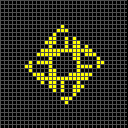
Performance tests with the following pattern, changing the neighbourhood type each time (range 50 for NG):
Code: Select all
x = 1, y = 1, rule = R500,C2,S,B1,NM
o!
[[ STARTFROM 1b ZOOM -2 ]]
Results:
WASM Engine off:
NF 0.3s / 3gps
N+ 1.5s / 0gps
NX 1.8s / 0gps
N* 2.8s / 0gps
N# 2.2s / 0gps
NB 3.3s / 0gps
ND 3.2s / 0gps
N2 3.0s / 0gps
NC 3.0s / 0gps
NN 0.5s / 2gps
NM 0.2s / 4gps
N3 1.8s / 0gps
NA 2.6s / 0gps
NH 2.6s / 0gps
NL 5.5s / 0gps
NG 0.5s / 2gps
WASM Engine on:
NF 0.3s / 3gps
N+ 1.3s / 0gps
NX 1.6s / 0gps
N* 2.1s / 0gps
N# 1.7s / 0gps
NB 2.6s / 0gps
ND 2.7s / 0gps
N2 2.1s / 0gps
NC 2.1s / 0gps
NN 0.4s / 2gps
NM 0.3s / 3gps
N3 1.3s / 0gps
NA 1.7s / 0gps
NH 1.8s / 0gps
NL 4.4s / 0gps
NG 0.4s / 2gps
Most of the GPS values are displayed as 0. When the value is low enough, could more precision be displayed instead of rounding down?
Probably worth noting is that, instead of being immediately rejected due to having too high of a size for this specific type of neighbourhood, we instead get an out-of-memory error displayed if we try to run this: (changed code to quote since the error appears even if you don't open a viewer)
x = 1, y = 1, rule = R500,C2,S,B1,NG
o!
[[ STARTFROM 1b ZOOM -2 ]]
Ranges such as 51 are rejected as expected (though a bit slower than I'd have anticipated - is it computing parts of the rule before realizing the range is excessive?)
Range-500 triangular also takes a big chunk of memory, as can be seen if you have Timing Details open. Not sure if this is actionable.
----
The hitbox, maps, etc. here are bigger than expected, but I assume this is due to whatever top-secret Identify refactoring is going on:
Code: Select all
x = 12, y = 14, rule = B3/S23
9bo$9bobo$9b2o5$5b2o$5b2o3$o$o$o!
[[ AUTOIDENTIFY ]]
Code: Select all
x = 12, y = 14, rule = R1,C2,S2-3,B3
9bo$9bobo$9b2o5$5b2o$5b2o3$o$o$o!
[[ AUTOIDENTIFY ]]
Identifying things also sometimes causes the viewer window to freeze before the period notice is properly legible:

- frozennotice.png (26.86 KiB) Viewed 706 times
I've also noticed that going to Help > Info drops framerate considerably more than other help categories, but specifically only
after fully identifying this:
Code: Select all
x = 54, y = 2, rule = B2ae/S
bo48bobo$o49bo2bo!
[[ SHOWTIMING EXTENDEDTIMING SHADER Basic THEME Mono ]]
EDIT: here's another out-of-memory trigger:
Code: Select all
x = 1, y = 1, rule = R500,C2,S,B1,NM
o!
[[ ZOOM -16 MAXGRIDSIZE 14 SHADER Basic THEME Mono AUTOIDENTIFY ]]
Run this, Select All, and do a 100%-density random fill, and you will see some strange gaps between some hexagonal cells.
Code: Select all
x = 1, y = 1, rule = B135/S0246H
o!
[[ STARTFROM 383 ZOOM 11.3 ]]
Here's how it looks for me on desktop:

- hexagaps.png (161.85 KiB) Viewed 697 times
EDIT2: Lowest-period example of NaN in Identify so far:
Code: Select all
x = 46, y = 46, rule = B2ae3i/S
o$bo$2bo$3bo$4bo$5bo$6bo$7bo$8bo$9bo$10bo$11bo$12bo$13bo$14bo$15bo$16b
o$17bo$18bo$19bo$20bo$21bo$22bo$23bo$24bo$25bo$26bo$27bo$28bo$29bo$30b
o$31bo$32bo$33bo$34bo$35bo$36bo$37bo$38bo$39bo$40bo$41bo$42bo$43bo$44b
o$45bo!
[[ SHADER Basic THEME Mono ZOOM 8 ]]