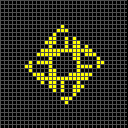
Cell Shaders control how cells are coloured for 2 state Life-like patterns. There are now four shaders which can be used to determine cell colours:
- Cell Age (the original and default)
- colour is determined by cell longevity and history, and Themes are available
Code: Select all
x = 7, y = 3, rule = B3/S23:T100
o3b3o$3o2bo$bo!
- colour is determined by cell longevity and history, and Themes are available
- Rainbow
- colour is determined by the cell's position on the grid
Code: Select all
#C [[ SHADER RAINBOW ]]
x = 7, y = 3, rule = B3/S23:T100
o3b3o$3o2bo$bo!
- colour is determined by the cell's position on the grid
- Neighbour Count
- colour is calculated from the number of neighbours
- inspired by George Maydwell's excellent colourized Life work
- there will be Themes in the future
Code: Select all
#C [[ SHADER NEIGHBOUR ]]
x = 7, y = 3, rule = B3/S23:T100
o3b3o$3o2bo$bo!
- Basic (the fastest)
- one colour for alive cells and another for dead cells, defined by the Themes
Code: Select all
#C [[ SHADER BASIC ]]
x = 7, y = 3, rule = B3/S23:T100
o3b3o$3o2bo$bo!
- one colour for alive cells and another for dead cells, defined by the Themes
You can also specify the Cell Shader using a script command: [[ SHADER shader ]] where shader is one of:
- RAINBOW
- NEIGHBOR (or NEIGHBOUR)
- BASIC